









How to Write a Meta Description That Actually Gets People to Click
- June 2, 2026
- Informational
- No Comments
Table of Contents
For the longest time I thought the meta description was just some technical box you had to fill in before hitting publish. I would type whatever came to mind, usually just copying the first sentence of my article, and move on.
Then I checked my Google Search Console data. My articles were getting thousands of impressions meaning they were showing up in search results but barely anyone was clicking on them. The titles were decent. But the descriptions below them? Terrible.
That is when I realised the meta description is not just a formality. It is your sales pitch. It is the two lines that convince someone scrolling through Google results to click your article instead of the one above or below it.
In this guide I am going to show you exactly how to write meta descriptions that actually get clicks. Real examples, simple rules, and a formula you can use for every single article you publish.
What is a Meta Description Anyway?
A meta description is the short snippet of text that appears below your page title in Google search results. It is usually around 150 to 160 characters long and it gives searchers a quick preview of what your page is about.
You have seen them thousands of times without thinking about it. When you search for something on Google and see those two lines of grey text beneath each result that is the meta description.
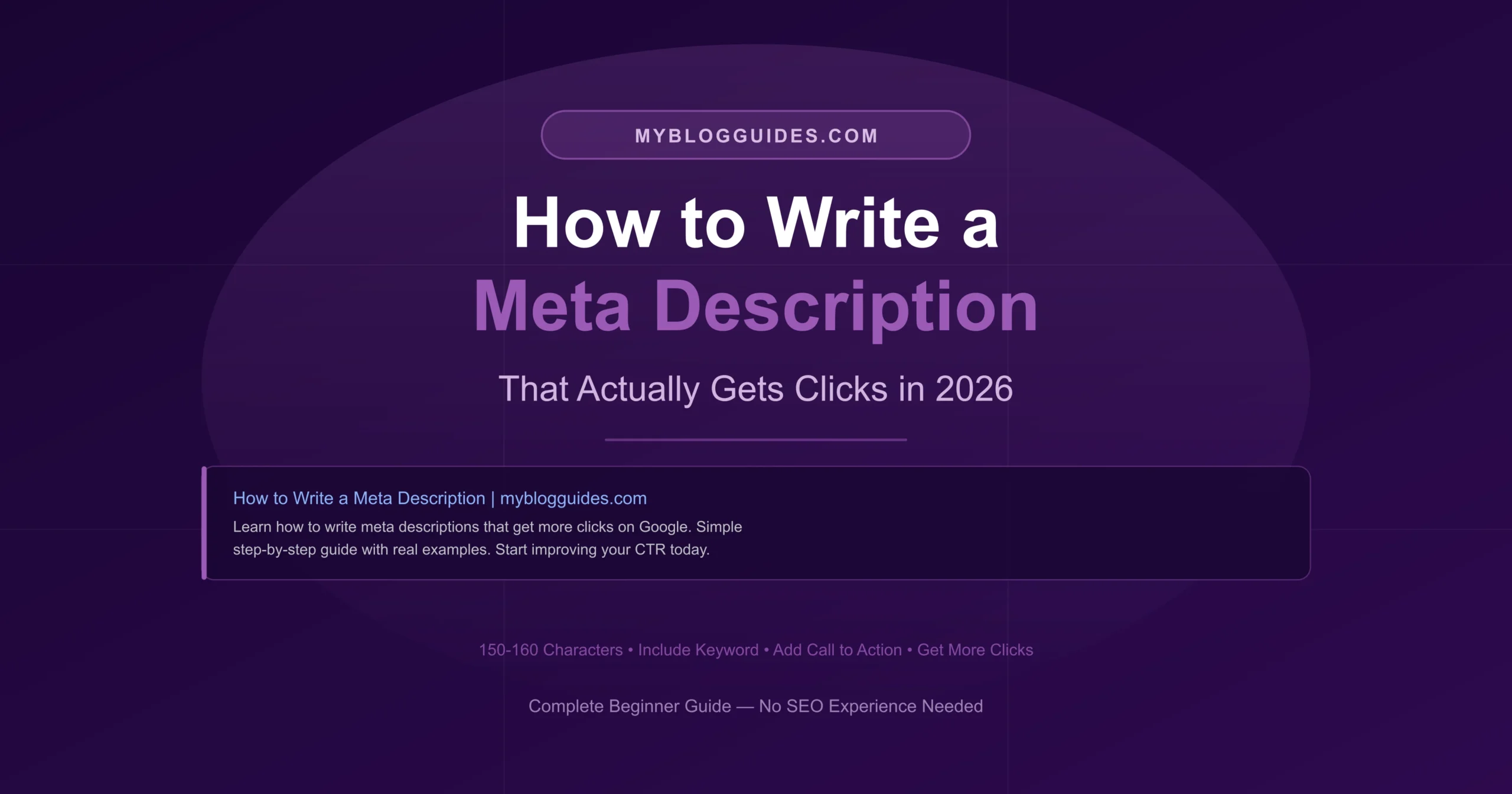
Here is an example of what it looks like in search results:
How to Write a Meta Description | myblogguides.com
Learn how to write a meta description that gets more clicks on Google. Simple step-by-step guide with real examples for bloggers in 2026.
Meta descriptions do not directly affect your Google ranking. But they hugely affect your click through rate how many people actually click your result. More clicks means more traffic. So indirectly they matter a lot.
Does Google Always Use Your Meta Description?
Honest answer not always. Google sometimes rewrites your meta description if it thinks a different snippet from your page better matches what the user searched for.
This used to frustrate me until I understood why Google does it. If someone searches for a very specific question and your meta description does not directly address that question, Google might pull a more relevant sentence from your article instead.
But here is the thing. Writing a good meta description still matters for two reasons. First, Google uses your description for many searches especially the main keyword you are targeting. Second, even when Google rewrites it, having a well-structured page with clear content gives Google better material to work with.
Do not use the same meta description on multiple pages. Google sees this as duplicate content and it can hurt your SEO. Every page needs a unique description that accurately describes that specific page.
The Rules for Writing a Good Meta Description
Before I give you the formula, here are the basic rules every meta description needs to follow:
Rule 1 Keep it Between 150 and 160 Characters
This is the most important technical rule. Google cuts off meta descriptions that are too long and replaces the end with three dots. When that happens your description looks incomplete and unprofessional in search results.
150 to 160 characters is the sweet spot. Some SEO experts say you can go up to 160 but I personally aim for around 150 to leave a little buffer. Most SEO plugins show you a character counter so you can see exactly where you stand.
Count your characters before saving. Yoast SEO plugin has a live preview that shows exactly how your meta description will look in Google search results. Use it every time.
Rule 2 Include Your Focus Keyword
Put your main keyword in the meta description naturally. When someone searches for that keyword, Google bolds it in the search results. This makes your result stand out visually and signals to the reader that your page is relevant to what they searched for.
Do not force it though. If the keyword does not fit naturally, rephrase around it. A clunky description that shoves a keyword in awkwardly will hurt your click through rate even if it technically contains the keyword.
Rule 3 Make it Sound Like a Human Wrote it
This sounds obvious but you would be surprised how many bloggers write meta descriptions that sound like they were generated by a robot. Stiff, formal, and completely unmotivating to click.
Write your meta description the way you would explain your article to a friend in two sentences. Conversational, clear, and with a reason to keep reading.
Rule 4 Give People a Reason to Click
Your meta description needs to answer one question for the reader: why should I click this instead of the other results? What am I going to get from this page that I cannot easily get elsewhere?
Think about what the person searching is actually trying to accomplish and speak directly to that. Not what your article is about what it does for the reader.
Rule 5 Include a Soft Call to Action
End your meta description with a gentle nudge. Phrases like ‘Learn how’, ‘Find out’, ‘See exactly how’, ‘Discover’, or ‘Get started today’ give the reader a small push to actually click. It sounds minor but it genuinely makes a difference to click through rates.
The Simple Formula That Works Every Time
After writing hundreds of meta descriptions I have settled on a formula that consistently works well. Here it is:
[What the article teaches] + [Who it helps or what problem it solves] + [Soft call to action]
Let me show you how this works with real examples:
Example 1 Article about meta descriptions
Bad version: This article talks about meta descriptions and how to write them for your blog posts and website pages.
Good version: Learn how to write meta descriptions that get more clicks on Google. Simple step by step guide with real examples for bloggers. Start improving your CTR today.
See the difference? The good version tells you exactly what you will learn, who it is for, and what result you will get. The bad version just describes what the article is about without giving you a reason to care.
Example 2 Article about domain authority
Bad version: Domain authority is a score that measures how strong your website is according to Moz.
Good version: Not sure what domain authority means or why everyone keeps talking about it? This simple guide explains everything in plain words and shows you how to improve yours.
Example 3 Article about Google AdSense
Bad version: Google AdSense approval guide for bloggers who want to monetize their websites with ads.
Good version: Getting rejected by AdSense? Find out exactly what Google looks for and follow these proven steps to get your blog approved and start earning.
Notice how each good example speaks directly to what the reader is feeling or wanting right now. That emotional connection is what makes people click.
How to Write a Meta Description Step by Step
Step 1 Understand What the Reader Actually Wants
Before you write a single word, ask yourself: what is the person who searches this keyword trying to accomplish? Are they confused about something and looking for a clear explanation? Are they frustrated with a problem and looking for a solution? Are they trying to make a decision and comparing options?
Your meta description should speak directly to that motivation. Not what your article contains what the reader gets out of reading it.
Step 2 Write a Draft Without Worrying About Length
Just write naturally first. Imagine you are texting a friend who asked you what your article is about. Write that explanation. Conversational, honest, and focused on what they will get.
Do not worry about the character count at this stage. Just get the words out.
Step 3 Trim and Tighten
Now look at what you wrote and cut everything that is not essential. Remove filler phrases. Replace long words with shorter ones. Every word in a meta description has to earn its place because you have so little space.
Common filler phrases to remove:
- In this article we will discuss just say what you discuss
- This guide is perfect for just describe the reader directly
- You will learn all about replace with specifically what they will learn
- This post covers everything you need to know about too vague, be specific
Step 4 Add Your Keyword Naturally
Once you have a tight draft, check whether your focus keyword appears naturally in the text. If it does not, work it in. If the description already contains it organically, great leave it as is. Never sacrifice readability just to force a keyword in.
Step 5 Check the Length and Preview
Count your characters. Aim for 150 to 160. If you use Yoast SEO or Rank Math plugin on WordPress, check the live preview to see exactly how it will appear in Google. This is the most reliable way to make sure nothing gets cut off.
Write your meta description before you publish, not after. Too many bloggers write it as an afterthought. Take two extra minutes before hitting publish and your click through rates will thank you.
Meta Description Mistakes That Kill Your Click Through Rate
Writing it Like a Robot
Stiff, corporate-sounding descriptions get ignored. Nobody clicks on something that sounds like it was written by a machine. Write like a human being talking to another human being.
Making it Too Vague
Descriptions like ‘This article covers everything about SEO’ tell the reader absolutely nothing useful. Be specific about what they will learn, what problem gets solved, or what question gets answered.
Stuffing Keywords
Repeating your keyword multiple times in a 160-character description looks spammy and reads terribly. Use it once, naturally, and focus the rest of the space on making the description compelling.
Copying the First Sentence of Your Article
This is the laziest approach and it shows. The first sentence of most articles is an intro or a hook not a sales pitch. Your meta description needs to be written specifically for the purpose of getting clicks in search results.
Forgetting the Call to Action
Even a small nudge at the end makes a measurable difference. Learn, Discover, Find out, See exactly how these tiny phrases remind the reader that clicking is the next step.
Meta Descriptions for Different Types of Articles
How-to Articles
Focus on the outcome. What will the reader be able to do after reading? Lead with the result and follow with how easy or fast your method is.
Example: Learn how to set up Google Search Console in 15 minutes no technical knowledge needed. Step by step guide for complete beginners.
What is Articles
Acknowledge the confusion and promise clarity. People searching ‘what is’ questions are often confused and just want a simple explanation.
Example: Not sure what domain authority is or why it matters? This simple guide explains it in plain words with no jargon. Start understanding your site better today.
List Articles
Mention the number and tease what is on the list. Numbers in meta descriptions catch the eye and set clear expectations.
Example: 7 free SEO tools every blogger needs in 2026 and most people have never heard of half of them. Start using better tools today.
Comparison Articles
Tell the reader what decision they will be able to make after reading. Comparison searchers are usually trying to make a choice.
Example: Blogger vs WordPress which one should you actually use in 2026? Honest comparison so you can pick the right platform and stop second guessing.
Frequently Asked Questions (FAQs)
Does the meta description affect SEO ranking?
Not directly. Google has confirmed that meta descriptions are not a ranking factor. But they affect your click through rate, and a higher click through rate can indirectly improve your rankings over time because Google takes engagement signals into account.
What happens if I do not write a meta description?
Google will automatically pull a snippet from your page content. Sometimes this works out fine. Often it does not Google might grab a random sentence that does not make a great first impression. Writing your own is always better than leaving it to chance.
How many characters should a meta description be?
Aim for 150 to 160 characters. Google typically displays up to 160 characters on desktop and slightly fewer on mobile. Stay in the 150 range to be safe on all devices.
Should every page have a different meta description?
Absolutely yes. Duplicate meta descriptions across multiple pages confuse Google and make your results look sloppy in search. Every single page needs a unique description written specifically for that page’s content and target keyword.
Final Thoughts
The meta description is one of those small things that makes a big difference when you get it right. Two sentences. 160 characters. That is all you get to convince someone to choose your article over everyone else’s.
Use the formula. Write like a human. Speak to what the reader actually wants. Include your keyword naturally. End with a nudge to click.
And do this for every article before you publish not as an afterthought, not copied from your intro, but written specifically to earn that click.
Your click through rate will improve. Your traffic will improve. And you will wonder why you ever ignored this little box before.
- All
- Informational
Latest Digital Content
Useful Tools

Extract URL to Domain
Extract a URL and instantly get its root domain.

HEX to Pantone Converter
Get Pantone code from HEX color!

PNG to JPG Converter
Convert PNG images into JPG format.
Image to PDF Converter
Convert images and download PDF easily.
JPG to PNG Converter
Convert JPG images to PNG quickly.
WebP to JPG Convert
Convert WebP images into high-quality JPG.

Text to Link Converter
Turn text into a shareable link!

Online Character Counter
Count characters instantly with accuracy.


