BrowserAgent Review My Honest Take After Testing Web Work
- June 30, 2026
- No Comments
For the last couple of years, the phrase “AI tool” has mostly meant one thing: you type a prompt, and the software hands you back some words or a picture. Useful, sure. But if you have ever tried to actually make money online, you already know the uncomfortable truth nobody on the sales pages likes to admit. The hard part was never writing the email or drafting the article. The hard part is everything that comes after it.
Logging into platforms. Hunting down leads one directory at a time. Filling out the same forms over and over. Sending the outreach. Posting the content. Pulling the reports. That slow, repetitive, slightly soul-draining browser work is what fills an agency’s day and quietly eats your evenings. Most “AI” never touched it. It produced the asset and left the labor to you.
BrowserAgent is built around a different promise. Instead of generating text and leaving you to do the grunt work, it claims to do the grunt work itself: clicking, typing, scrolling, and filling out forms on real websites while you watch it happen. It is the kind of pitch that sounds almost too convenient, which is exactly why it deserves a careful look rather than a hype-fueled one.
In this review I am going to walk through what BrowserAgent actually is, how its live browser feature works, what its so-called money missions really do, who the tool genuinely fits, where it falls short, and how the pricing and upgrade funnel is structured, so you know precisely what you are signing up for before you spend a single dollar. By the end you should be able to decide for yourself whether this belongs in your toolkit or whether it is just another shiny object to scroll past.
What Is BrowserAgent?
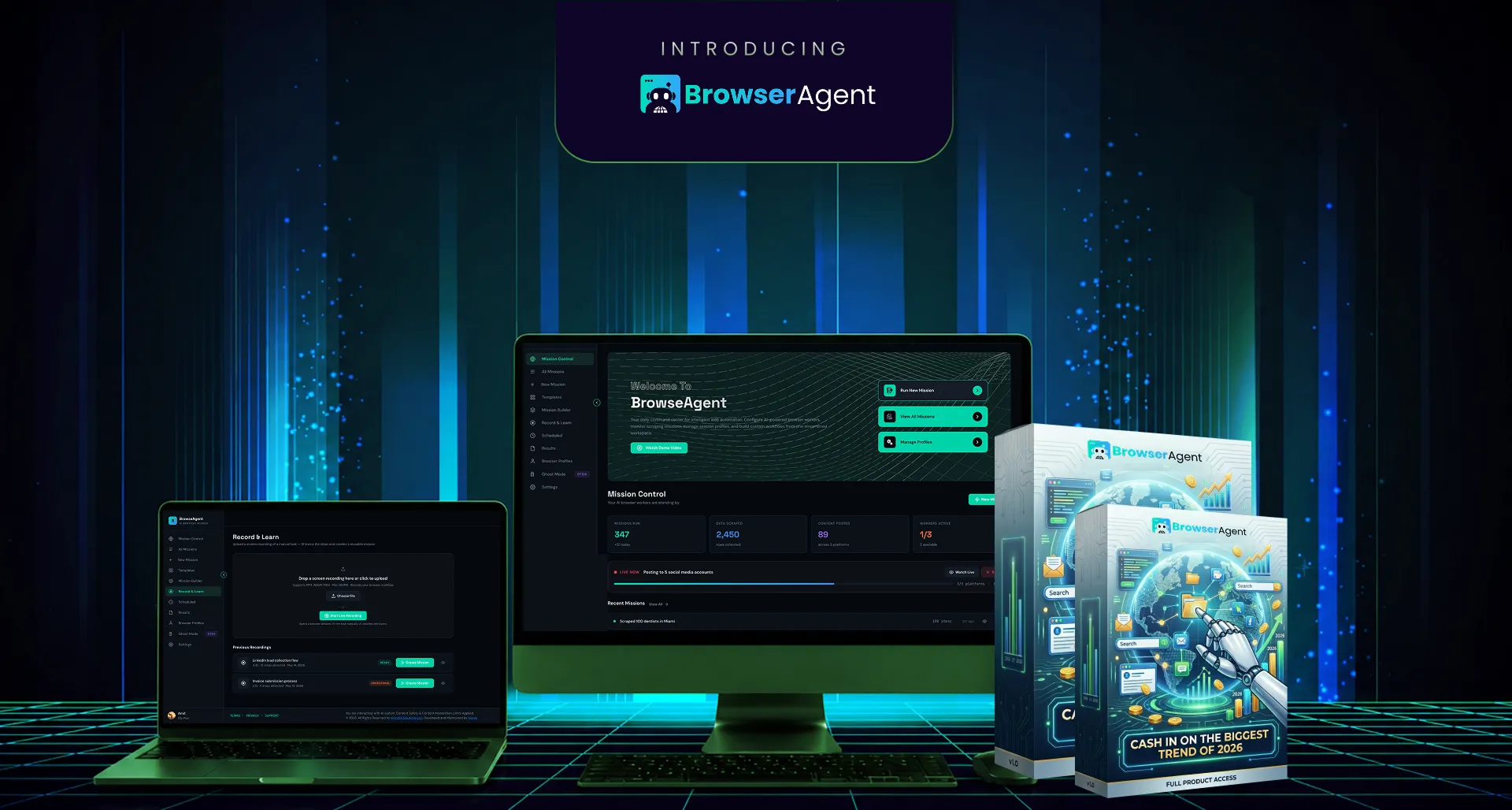
At its core, BrowserAgent is an AI agent that controls a real web browser on your behalf. Not a stripped-down scraper, and not a chatbot pretending to browse. It drives an actual Chromium browser the same way a human assistant would, except it never gets tired, never gets distracted, and never asks for a lunch break.
The concept is simple enough to explain in a single breath. You type one instruction into the dashboard, the AI takes control of a browser, and it carries out the task on live websites. You might tell it to audit a local business’s online presence, find a batch of leads in a specific niche, send personalized outreach messages, or assemble a product review article. It interprets the request, opens the relevant sites, and starts working through the steps a person would normally grind through by hand.
What separates BrowserAgent from the endless parade of “AI assistant” launches is the framing. It is sold less as a bundle of features and more as a set of outcomes you can either use for your own projects or charge clients for. The marketing leans hard on the idea that the repetitive web work agencies bill hundreds or even thousands of dollars a month to perform is exactly the work this tool automates. Whether that holds up perfectly in practice depends a lot on your expectations, which is something I will keep coming back to throughout this review.
It runs in the cloud rather than on your own machine, and the front-end package includes twelve months of hosting, so you are not burning your laptop’s resources or wrestling with a complicated install just to get going. The headline selling points are that there are no API keys to plug in, no per-task credits to top up, and no monthly subscription on the entry-level offer. That last part matters more than it might seem, because “AI” tools that quietly meter every single action have trained a lot of buyers to be suspicious. A flat, one-time price is a deliberate answer to that fatigue
How Does BrowserAgent Actually Work? (The Live Browser Feed)
Here is the part that genuinely sets BrowserAgent apart, and it is worth slowing down on because it is the feature the whole pitch hangs on.
Most automation and “AI agent” tools are invisible. You give them a command, they churn away somewhere you cannot see, and then they spit out a result you are simply expected to trust. If something goes wrong, you have no idea where. If it works, you still feel a little uneasy about how. There is a black box between your instruction and your result, and that black box is where most skepticism lives.
BrowserAgent flips that completely with what it calls a live browser feed. When you launch a task, a real browser window appears inside your dashboard, and you watch the AI work in real time. The cursor moves on its own. It scrolls a Google Maps listing, clicks into a business profile, types into a search bar, and navigates to the next directory. You are essentially looking over the shoulder of a digital worker as it does the job in front of you.
From a trust standpoint, this is clever, and I do not say that cynically. Seeing the work happen does more to kill skepticism than a wall of testimonials ever could. It is the difference between someone telling you they cleaned your house and actually watching them vacuum it. For a software category that is absolutely flooded with overblown claims, visible proof is a genuine differentiator rather than a gimmick.
The other piece of the engine is how it handles the messy reality of the modern web. Anyone who has tried basic scraping knows the internet fights back. Cookie consent popups, “verify you are human” prompts, shifting page layouts, and elements that quietly move around will break a rigid script in seconds. BrowserAgent’s pitch is that because it interprets a page visually and reacts the way a person would, it can navigate these obstacles instead of crashing on them. If that capability is as robust as advertised, it is arguably the real moat here, far more than any individual mission template.
A quick, honest caveat is in order. No automated system handles every website flawlessly, and pages that aggressively block bots will always be a moving target. Treat the obstacle-handling as a meaningful strength, not a guarantee of a hundred percent success rate on every site you point it at. Going in with that expectation will save you some frustration later.
BrowserAgent - $37
BrowserAgent is an AI agent that controls a real web browser on your behalf. Not a stripped-down scraper, and not a chatbot pretending to browse. It drives an actual Chromium browser the same way a human assistant would, except it never gets tired, never gets distracted, and never asks for a lunch break.
Visit Official Site + Bonus!BrowserAgent's Key Features
Beyond the headline browser control, the front-end package bundles a handful of features designed to take it from “neat demo” to “thing you actually run every day.” Here is what you get and, more importantly, why each piece matters.
The AI browser agent itself is the foundation. It clicks, types, scrolls, fills out forms, scrapes information, and posts content across real websites. Everything else in the product is built on top of this core ability, so it is fair to think of the rest as layers that make that engine more useful.
The live browser feed, which I covered above, lets you watch every action unfold in real time on your dashboard. It quietly doubles as a debugging tool, because if a mission ever veers off course, you can actually see where it went sideways and why, instead of guessing.
Pre-built money missions come loaded from day one. Rather than starting at a blank screen wondering what on earth to type, you get a library of ready-made tasks covering local lead generation, cold outreach, SEO audits, social media management, affiliate article building, competitor research, reputation monitoring, and more. You click one, tweak the details to fit your situation, and run it. For most people this is the difference between using the tool and abandoning it.
The RepeatEngine scheduler turns any mission into a recurring job. Instead of manually kicking off the same task every morning, you set it to run hourly, daily, or weekly and let it operate on autopilot. This is the feature that shifts the whole thing from “I have to babysit it” to “it works while I sleep,” which is where the real leverage comes from.
The Browser Profile Manager stores logins using AES-256 encryption so the agent can reuse saved sessions across missions without you re-entering credentials every time. You should still apply common-sense judgment about which accounts you connect, but encryption at rest is the right baseline for a tool that holds logins on your behalf.
Smart Results summarize every mission’s output in plain English rather than dumping a pile of raw data on you. You can export to CSV, Excel, or Google Sheets, which is exactly where most people want lead lists and research to end up anyway, so it slots neatly into whatever workflow you already use.
Twelve months of cloud hosting is included, meaning the heavy lifting runs on the vendor’s servers, not your computer. There is a practical reason this benefits you beyond convenience: when the company absorbs the infrastructure cost, you are not being nickel-and-dimed into using the tool sparingly, so you are far more likely to actually get value out of it.
Commercial rights are baked in on the front end. Every lead list, report, article, and campaign output is yours to sell, with no separate “upgrade to commercial” purchase required just to start charging clients. That is a meaningful detail, because plenty of tools in this space lock the right to resell behind an upsell.
Finally, the front end stacks on a set of fast-start bonuses, including over-the-shoulder training focused on landing a first client quickly, a “first results in seven days” style blueprint, a swipe pack of client-getting messages, access to a private members community, a commercial rights certificate, and a few plug-and-play service offers. Bonuses are bonuses, so weigh them as a nice-to-have rather than the reason to buy. That said, the training and the swipe material are the ones most likely to be genuinely useful if you are a beginner.
The “Money Missions”: What It Looks Like in Practice
Features are abstract, so the more useful question is what BrowserAgent actually does when you press go. The launch materials lean on a set of example missions, and they are worth running through one by one because they tell you exactly the kind of work the tool is positioned for.
Take a local SEO audit. You might instruct it to run a complete audit on a specific business, say a pizza place in a given city. The agent checks the Google Business listing, scans a stack of citation directories, pulls the review profile across Google, Yelp, and Facebook, identifies the top competitors, and assembles a one-page report. The pitch is that the finished, branded PDF is something you could turn around and sell to a local business owner. Audits like this are a real service that agencies charge a few hundred dollars for, so the angle is at least plausible on its face.
Then there is cold outreach. You could ask it to find a set of businesses in a particular niche and location that lack a proper website, then send each one a personalized message referencing something specific from their recent activity. The output is a batch of tailored outreach messages sent on your behalf. Lead-generation work like this is commonly billed at several hundred to a couple thousand dollars per campaign, which is the comparison the marketing draws.
Affiliate marketers get the review-article mission. Point it at a category of products, and it pulls each item’s reviews, pros, cons, and pricing, drops in your affiliate links, and assembles an SEO-minded article. The promise is a monetized piece of content that can earn passive commissions for as long as it ranks. That last part deserves a reality check, which I will give in just a moment.
For social media managers, there is a done-for-you content mission. It studies a client’s competitors, identifies their best-performing posts, then writes a month’s worth of new posts in the client’s voice and schedules them across platforms. The output is a queue of scheduled content, which is the exact deliverable social agencies charge monthly retainers for.
And for pure lead generation, you can set a daily sweep that finds a fresh batch of local leads in your chosen niches and drops them into your inbox every morning before you even wake up, running entirely on autopilot through the scheduler. For anyone who sells leads or runs cold campaigns, a steady supply showing up on its own is exactly the kind of boring-but-valuable task worth automating.
Now a grounded word on all of this, because it is the most important paragraph in this section. These missions describe what the tool is built to do, and the dollar figures attached to them reflect what comparable services typically sell for, not a promise of what you personally will earn. An affiliate article only earns commissions if it actually ranks and pulls in traffic. A cold outreach campaign only pays off if the offer and the follow-up are genuinely good. The tool can compress hours of manual work into a single instruction, which is real and valuable, but it does not remove the need for a real offer, a real market, and real follow-through. Go in treating it as a powerful labor-saver rather than a money-printing button, and you will set yourself up to actually benefit from it.
BrowserAgent vs. Traditional AI Tools
Most AI products you have seen fall into two buckets: content generators that produce text or images, and chat assistants that answer questions. Both leave the doing to you. A copywriting AI hands you an email, and you still have to find the recipients and send it. An image tool gives you a graphic, and you still have to post it. The bottleneck was never the asset. It was the execution.
BrowserAgent occupies a different lane. It is an execution layer. Rather than producing a deliverable for you to act on, it acts. That distinction is the entire point of the product. Where a typical tool stops at “here is your content,” BrowserAgent’s pitch continues into “and here it is, posted, sent, or compiled into a sellable report.”
Compared to traditional automation like rigid scrapers or simple no-code bots, the difference is adaptability. Old-school automation breaks the moment a website changes a button or throws up a consent popup, because it follows fixed, brittle rules. BrowserAgent’s approach of interpreting the page visually and reacting like a person is what lets it keep going where those scripts fall over.
It is also worth contrasting the pricing model. Many comparable agent tools meter usage through credits or API costs that quietly add up the more you use them, which perversely discourages the very behavior that makes the tool valuable. The front-end’s flat price and included hosting flip that incentive, letting you actually lean on it without watching a meter tick. Whether that pricing holds at renewal is an open question, but on the entry offer it is a genuine advantage.
Who Is BrowserAgent For?
This is not a tool for everyone, and pretending otherwise would do you a disservice. It fits some people extremely well and is overkill or a poor match for others, so it is worth being honest about which camp you fall into.
It makes the most sense for freelancers and small agencies who already sell services like local SEO, lead generation, outreach, or social media management. If you are doing this work by hand right now, the appeal is obvious. You automate the grind, take on more clients without hiring, and keep more of the margin for yourself.
It also suits affiliate marketers and content publishers who need to produce research-heavy articles at volume, and busy solopreneurs who want recurring tasks like lead sweeps or reputation monitoring handled automatically in the background while they focus on higher-value work.
Beginners are a more nuanced case. The pre-built missions and fast-start training lower the barrier considerably, and the dual-use angle means you can practice on your own projects before ever touching a client. That said, automation amplifies whatever strategy you feed it. If you do not yet understand the underlying service you are trying to sell, the tool will simply help you do the wrong thing faster. Pair it with a willingness to learn the fundamentals, though, and it becomes a serious accelerator rather than a crutch.
Who should probably skip it? Anyone looking for a hands-off, zero-effort income switch, and anyone whose work does not involve repetitive web tasks in the first place. If that describes you, the value simply will not land, and no amount of clever marketing changes that.
Pros and Cons of BrowserAgent
No honest review is complete without weighing both sides, so here is the balanced view, stripped of the sales-page enthusiasm.
What works well:
- The live browser feed you can watch. It turns an opaque process into visible, verifiable work and kills skepticism faster than any testimonial.
- Outcome-focused missions. It is sold as services you can charge for, not abstract features, so the use cases are concrete and easy to picture.
- Genuine dual-use. Run missions on your own business or resell the output to clients with the exact same tool.
- Commercial rights on the front end. You can start charging clients without being forced into a separate upgrade first.
- Flat one-time entry price. No API keys, no per-task credits, no monthly fee, and twelve months of cloud hosting included.
- Adaptive web handling. It manages cookie popups, human-verification prompts, and layout changes that would break a rigid script.
Things to consider:
- The income figures are illustrative. They reflect what services typically sell for, not a guarantee of your personal results.
- There is a real learning curve. Writing effective instructions and getting consistent output takes some practice, even with templates.
- Hosting is included for twelve months. It is generous, but plan ahead for what renewal looks like afterward.
- Outreach and scraping sit in a gray area. Stay within each platform’s terms of service and use sensible volumes to avoid account flags.
- No agent is perfect. It will not navigate every website flawlessly, so expect to supervise it, especially in the early days.
None of these are dealbreakers on their own. They are simply the realities behind the headline, and knowing them upfront is exactly how you get the most out of the tool while sidestepping disappointment.
BrowserAgent Pricing and Funnel Breakdown
Now to the part everyone scrolls down for. Like most launches in this space, BrowserAgent uses a front-end offer plus a series of optional upgrades, so it helps to see the whole map before deciding what, if anything, beyond the front end is worth it for you.
The front end, BrowserAgent itself, is a one-time price of $37. That includes the browser agent, the live feed, the library of money missions, the RepeatEngine scheduler, the encrypted profile manager, Smart Results with exports, twelve months of cloud hosting, commercial rights, the full bonus stack, and a fourteen-day money-back guarantee. For most people, this single purchase is the actual product, and everything else is genuinely optional.
|
Plan
|
What You Get
|
Price
|
Access
|
|---|---|---|---|
|
Front End
|
BrowserAgent
|
$37
|
|
|
xBundle
|
(with coupon BROWSER)
|
$267
|
|
|
OTO 2
|
(order bump)
|
$77
|
|
|
FastPass
|
(in-funnel skip)
|
$230
|
|
|
OTO1
|
DFY Empire
|
$197
|
|
|
OTO2
|
Agency Pro
|
$97
|
|
|
OTO3
|
ChainBuilder Pro
|
$67
|
|
|
OTO4
|
Unlimited Ghost
|
$147
|
A few of these deserve a plain-English explanation, because “OTO1 through OTO4” means nothing on its own.
Understanding the Upgrades (OTOs)
The xBundle is the all-in option. For a recurring annual fee, reportedly around $317 but discounted to $267 with the coupon BROWSER, it folds in the front end plus several of the upgrades, premium access to a few of the vendor’s other tools, and a set of exclusive bundle bonuses. It renews yearly, which is worth keeping in mind since it is the one ongoing commitment in the lineup.
The MegaBundle is an order bump offered on the xBundle checkout for a one-time $77. It piles on live VIP training calls with replays, a private community, a large pack of done-for-you mission templates, outreach scripts and proposal templates, and priority support. It is added in the same transaction with a single click, so there is no separate checkout to navigate.
FastPass is a convenience play priced at a recurring $230. Shown right after the front-end purchase, it unlocks several upgrades at once and skips their individual sales pages. The honest framing here is that it exists for impulse buyers who would rather pay once than be walked through four separate upsell pages. If that is not you, you lose nothing by passing on it.
OTO1, DFY Empire, is $197 and is the done-for-you head start. The team builds out your first thirty days of missions, hands over target lists across popular niches, provides outreach scripts and email sequences, includes client proposals and pricing templates, and pre-configures your first batch of client missions. It is positioned as the fastest path to a first result for people who would rather not climb a learning curve.
OTO2, Agency Pro, is $97 and is the one to look at if you are serious about reselling. It adds a full commercial license to resell every mission as your own service, client sub-accounts so each client logs in separately, a white-label dashboard that shows your brand instead of the vendor’s, and agency management tools with branded reports. This is the upgrade that turns the tool into the back end of an actual service business.
OTO3, ChainBuilder Pro, is $67 and adds a visual workflow builder. You drag, drop, and chain missions together so the output of one becomes the input of the next, for example a lead scraper feeding an enricher, feeding an email writer, feeding a sender, all as a single automated flow. For anyone running multi-step processes, this is the upgrade that ties them together end to end.
OTO4, Unlimited Ghost, is $147 and is built for power users. It runs multiple AI workers in parallel, executes around the clock in the cloud, adds a stealth mode aimed at sites that normally block automation, and opens full API access so you can plug BrowserAgent into your own tools. If you are scaling up volume, this is the always-on infrastructure layer that makes that practical.
A sensible way to think about the funnel is this: the $37 front end is the product, and whether any upgrade is worth it depends entirely on your goal. Reselling to clients points you toward Agency Pro. Wanting a done-for-you jumpstart points to DFY Empire. Chaining complex processes points to ChainBuilder. Running at scale points to Unlimited Ghost. There is no need to buy everything, and you should only add what maps to what you actually plan to do.
Is BrowserAgent Worth It? My Verdict
So, where does all of this leave us?
BrowserAgent is one of the more interesting entries in the AI tools space precisely because it targets the part of the work everyone else ignores. Generating text and images is a solved, crowded problem at this point. Actually doing the browser-based labor that fills an agency’s day is not, and a tool that can credibly automate even a meaningful chunk of it has real, practical value. The live browser feed is a smart, trust-building feature, the outcome-focused missions make the use cases concrete, and a flat $37 entry price with a year of hosting and a money-back guarantee keeps the downside risk genuinely low.
The honest counterweight is that this is a tool, not a shortcut around doing real work. The income numbers describe what services sell for, not what you are guaranteed to make. You will need a real offer, a real audience, and at least some willingness to learn. There is a modest learning curve, you should automate responsibly within each platform’s rules, and you will want to keep an eye on the longer-term hosting picture once the included year is up.
Put simply: if you do repetitive web work, sell client services, or publish content at volume, and you go in with realistic expectations, BrowserAgent is well worth a look at its entry price. If you are chasing effortless, hands-off riches, no software, this one included, is ever going to deliver that. Match the tool to honest expectations and a real plan, and it can save you a serious amount of time and manual effort. That, far more than any dollar figure on a sales page, is the value actually worth paying for.
Frequently Asked Questions (FAQs)
What exactly does BrowserAgent do?
It is an AI agent that controls a real web browser for you, clicking, typing, scrolling, filling forms, scraping, and posting on live websites based on a single instruction you type. You watch it work in real time on your dashboard.
Do I need API keys, credits, or a monthly subscription?
No. The front-end offer is a one-time $37 purchase with no API keys, no per-task credits, and no monthly fee, and it includes twelve months of cloud hosting.
Is BrowserAgent good for complete beginners?
Yes, with realistic expectations. Pre-built missions and fast-start training lower the barrier, and you can practice on your own projects first. But automation amplifies your strategy, so learning the basics of the service you offer still matters.
Can I sell the results to clients?
Yes. Commercial rights are included on the front end, so lead lists, reports, articles, and campaigns are yours to sell. The Agency Pro upgrade adds white-labeling and client sub-accounts if you want to run a full agency.
Are the income claims guaranteed?
No. The dollar figures reflect what comparable services typically sell for, not a guarantee of personal results. Your earnings depend on your offer, your market, and your effort. Treat it as a time-saving tool, not a money-printing button.


Latest Digital Content