How to Start a Blog in 2026: Step-by-Step Guide for Complete Beginners

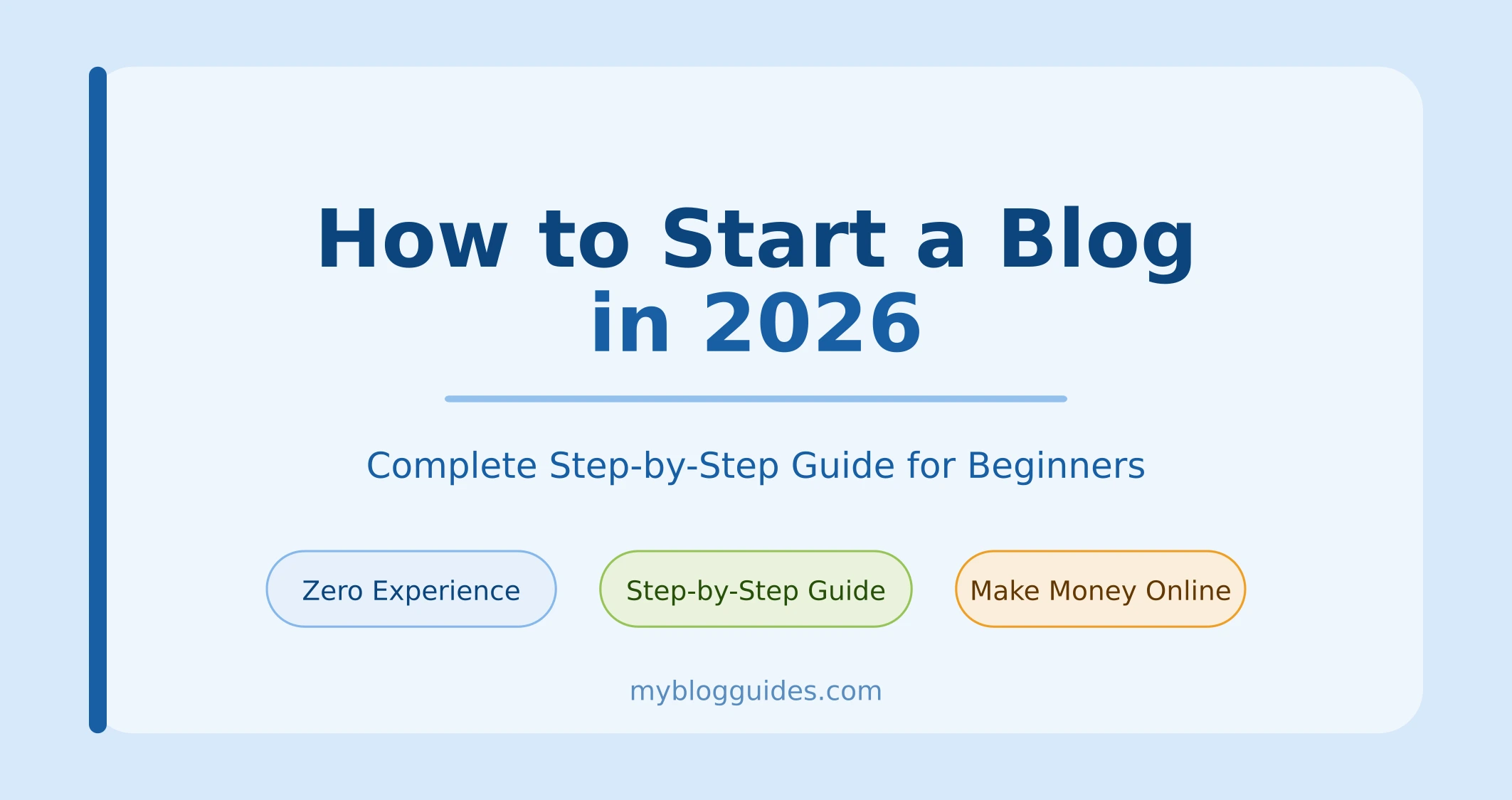
How to Start a Blog in 2026

Table of Contents

How to Start a Blog in 2026 Skill Level
99%

Let me be honest with you.

When I first thought about starting a blog, I had no idea what I was doing. I did not know which platform to use, what to write about, or how anyone would ever find my site. I spent weeks just reading guides and never actually doing anything.

Sound familiar?

If you have been thinking about starting a blog but keep putting it off — this guide is for you. I am going to walk you through every single step, in plain English, with no confusing technical jargon.

By the time you finish reading this, you will know exactly what to do. Let us get into it.

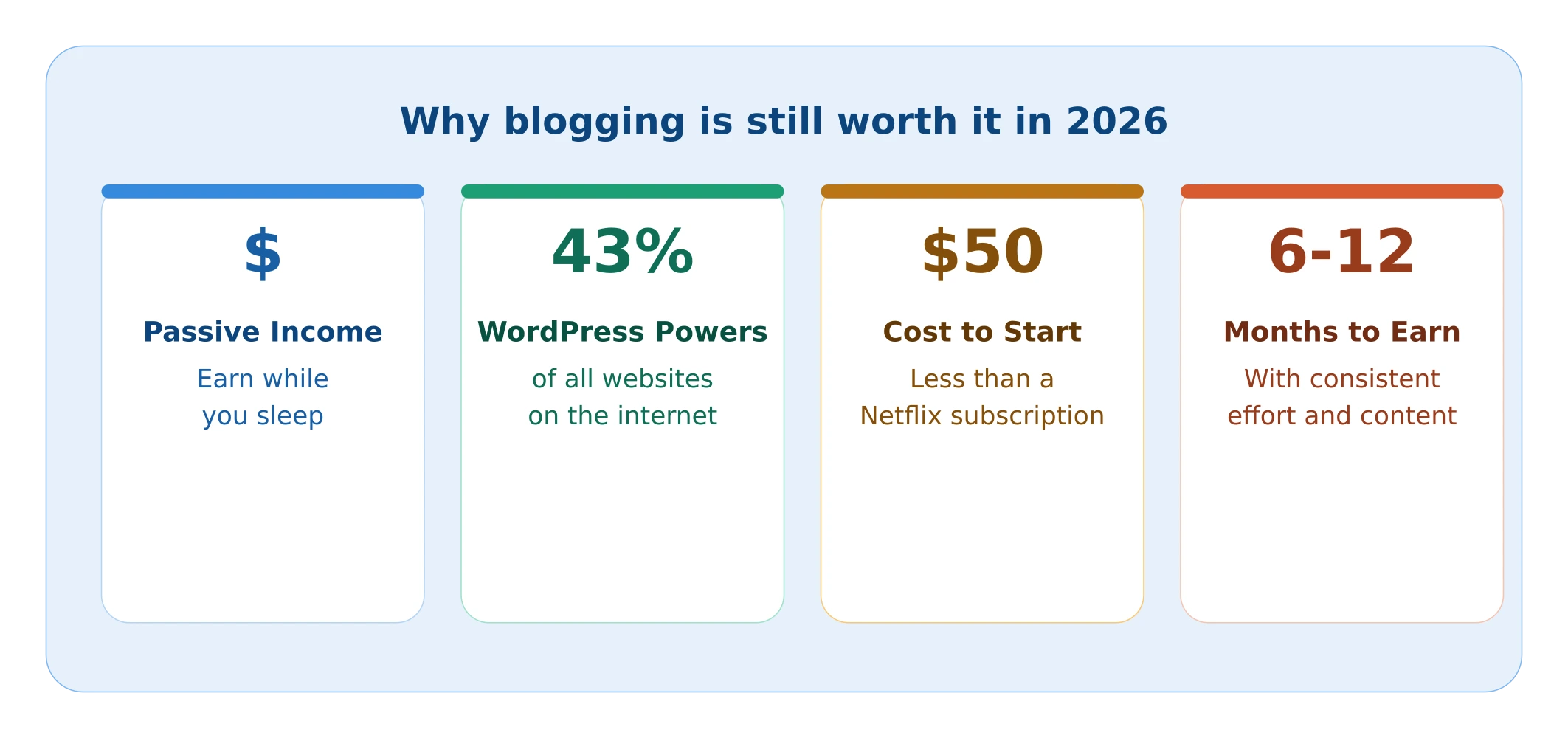
Why Blogging is Still Worth It in 2026

Every year, someone on the internet says “blogging is dead.” And every year, bloggers keep making money and building audiences.

The truth? Blogging is not dead. Bad blogging is dead.

In 2026, people are still searching Google for answers to their questions every single day. If your blog gives them those answers better than anyone else, they will find you.

Here is what a good blog can do for you:

  • Bring in passive income while you sleep
  • Build your reputation as an expert in your field
  • Give you the freedom to work from anywhere
  • Create something that is truly yours

And the best part? You do not need a big budget to start. A basic blog costs less than a Netflix subscription per month.

Step 1: Pick Your Niche

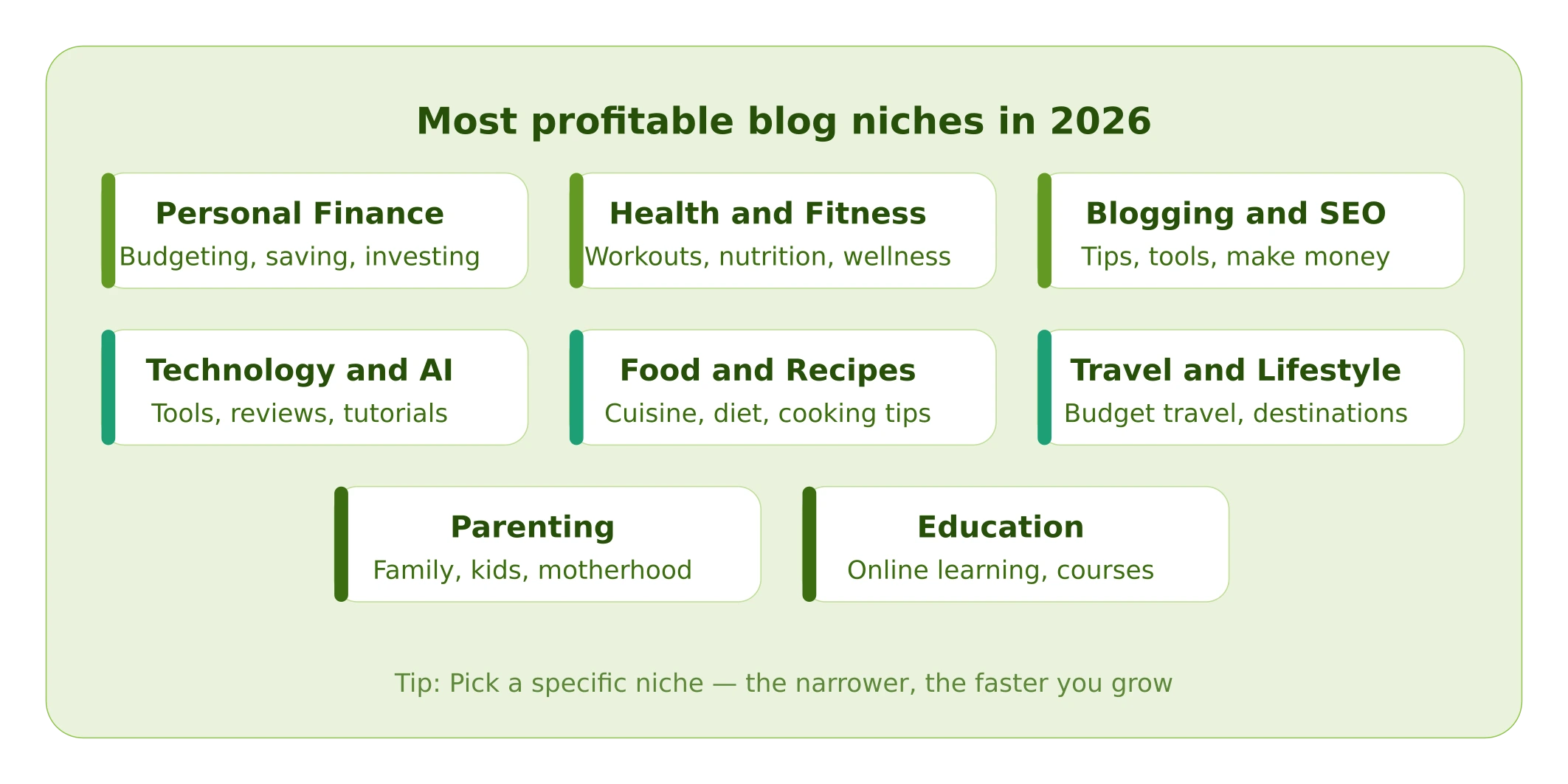
Most profitable blog niches in 2026

Your niche is simply what your blog is about. And honestly, this is where most beginners overthink things.

Here is a simple way to think about it. Ask yourself:

“What is something I know well that other people struggle with?”

That gap between what you know and what others need — that is your niche.

Some Profitable Niches in 2026

  • Blogging and making money online
  • Personal finance (budgeting, saving, investing)
  • Health and fitness
  • Parenting and family life
  • Technology and AI tools
  • Food and recipes
  • Travel on a budget

You do not have to be a world-class expert. You just need to know more than your reader and be willing to teach it clearly.

One thing to avoid: Do not try to write about everything. A blog about “blogging tips for stay-at-home moms” will grow faster than a blog about “everything related to business and lifestyle.” Specific wins.

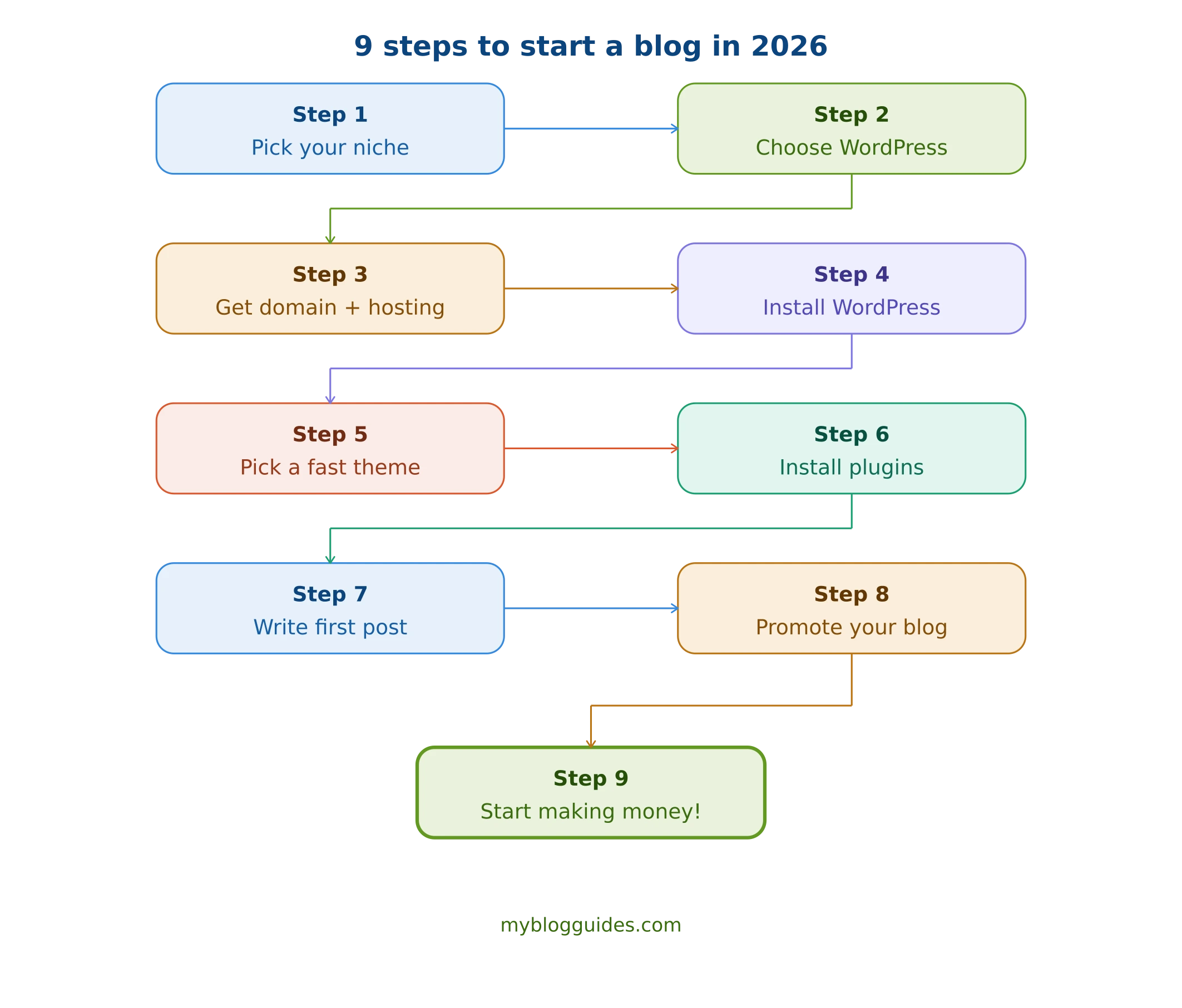
9 steps to start a blog in 2026

Step 2: Choose the Right Blogging Platform

A blogging platform is basically the tool you use to build your blog. You have a few options, but I am going to save you the headache of comparing all of them.

Use WordPress.org. Full stop.

Here is why:

  • It powers over 43% of the entire internet
  • You own your content completely
  • It is free to use (you only pay for hosting)
  • The SEO tools available for WordPress are unmatched
  • You can customize everything exactly how you want

Platforms like Blogger or Wix are fine for a hobby blog, but if you want to grow and eventually make money — WordPress is the only serious choice.

For the rest of this guide, I will be walking you through setting up WordPress.

Step 3: Get a Domain Name and Hosting

To start a WordPress blog, you need two things:

A domain name — this is your address on the internet (like myblogguides.com)

Web hosting — this is where your website actually lives, like renting space on a server

Picking a Good Domain Name

Keep it simple. Here are the rules I follow:

  • Make it short and easy to spell
  • Include your niche keyword if it fits naturally
  • Always go for .com if you can
  • Avoid numbers, dashes, and weird spellings

Choosing Your Hosting

For a brand new blog, you do not need anything fancy. A basic shared hosting plan works perfectly fine until you are getting thousands of visitors per day.

Namecheap is a solid option for beginners. It is affordable, reliable, and their customer support is helpful when you get stuck.

Once you have picked your hosting provider, the process looks like this:

  1. Go to their website and pick a hosting plan
  2. Search for your domain name and register it
  3. Complete checkout

Most hosting plans for beginners cost somewhere between $2 and $8 per month when billed annually. That is incredibly cheap when you think about what you are getting.

Step 4: Install WordPress

Here is some good news — installing WordPress is nowhere near as scary as it sounds. Most hosting providers let you do it in literally a few clicks.

If You Are Using Namecheap:

  1. Log in to your cPanel (your hosting control panel)
  2. Look for Softaculous or WordPress Manager
  3. Click Install WordPress
  4. Enter your blog name, choose a username and password
  5. Hit Install

That is it. WordPress is now live on your domain.

Now go to yourdomain.com/wp-admin and log in. This is your WordPress dashboard — the place where you will be spending most of your time as a blogger.

Take a few minutes to explore it. Do not worry, you cannot break anything at this stage.

Step 5: Pick a Theme You Love

Your theme controls how your blog looks. The good news is that you do not need to hire a designer or spend a lot of money to have a good-looking blog.

What to Look for in a Theme

  • Loads fast — slow blogs lose readers
  • Looks good on mobile phones
  • Clean and simple design — do not distract from your content
  • Good reviews and regular updates from the developer

My Top Free Theme Picks for 2026

Astra — This is what I would recommend to almost every beginner. It is incredibly lightweight, works with all the popular page builders, and has tons of free starter templates.

GeneratePress — If speed and SEO are your top priorities, GeneratePress is hard to beat. Very clean and minimal.

Kadence — A newer option that has become very popular. Easy to customize and beginner friendly.

How to Install Your Theme

  1. Go to Dashboard → Appearance → Themes
  2. Click Add New
  3. Search for your theme
  4. Click Install, then Activate

Done. Your blog now has a look.

Step 6: Install the Right Plugins

Plugins are like apps for your WordPress blog. They add features without you needing to touch any code.

But here is an important warning: do not go plugin crazy. Installing too many plugins slows your site down badly. Stick to what you actually need.

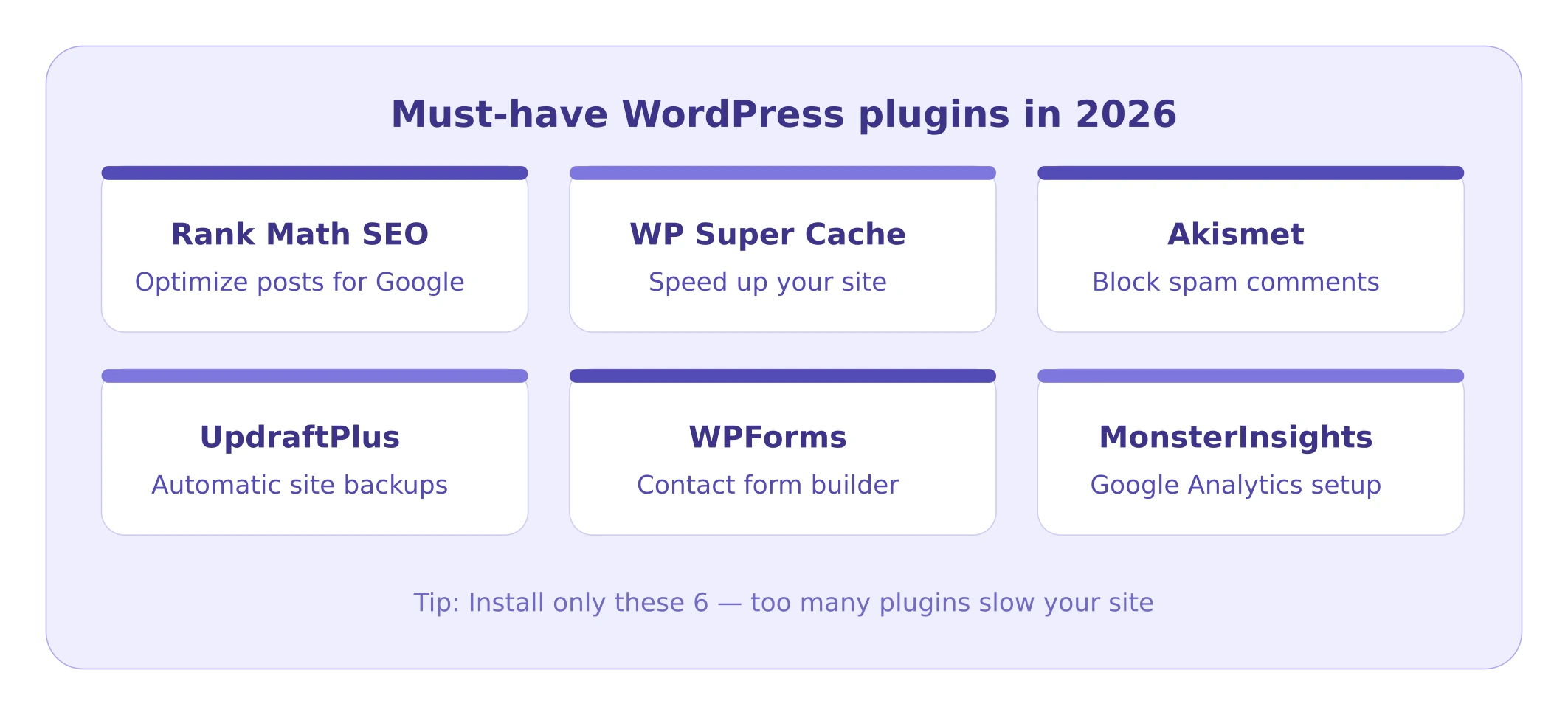
Here are the plugins every new blogger should have:

PluginWhat It Does
Rank Math SEOHelps you optimize every post for Google
WP Super CacheSpeeds up your site significantly
AkismetBlocks spam comments automatically
UpdraftPlusBacks up your entire site automatically
WPFormsLets readers contact you easily
MonsterInsightsConnects Google Analytics to your dashboard

How to Install a Plugin

  1. Go to Dashboard → Plugins → Add New
  2. Search for the plugin name
  3. Click Install Now, then Activate

Start with Rank Math SEO first. You will need it for the next step.

Step 7: Write and Publish Your First Post

Okay, this is the part that most people delay forever. Do not be that person.

Your first post does not have to be perfect. It just has to exist.

Getting Started in WordPress

  1. Go to Dashboard → Posts → Add New
  2. Type your title at the top
  3. Write your post in the editor below
  4. Add a couple of images
  5. Set your focus keyword in Rank Math
  6. Click Publish

A Few Tips That Actually Make a Difference

Hook them from the first line. Your introduction needs to make the reader feel like you understand their problem. Do not start with “In this article I will be discussing…”

Write like you talk. Read your post out loud. If it sounds weird when you say it, rewrite it. Simple, conversational writing always beats formal writing on a blog.

Break it up. Long paragraphs are exhausting to read on a screen. Keep your paragraphs to 2-3 sentences. Use headings, bullet points, and bold text to give readers places to rest their eyes.

End with a question or call to action. Ask your reader to leave a comment, share the post, or check out a related article. Give them something to do next.

How Long Should Your Posts Be?

For Google to take your posts seriously, aim for at least 1,500 words. Posts between 1,800 and 2,500 words tend to perform best for most niches. Longer is not always better — the right length is however long it takes to fully answer the question your reader came with.

Step 8: Get People to Actually Read Your Blog

Publishing a post and waiting for traffic to appear is like opening a shop and never telling anyone. It does not work that way.

Here is how to get real readers to your blog:

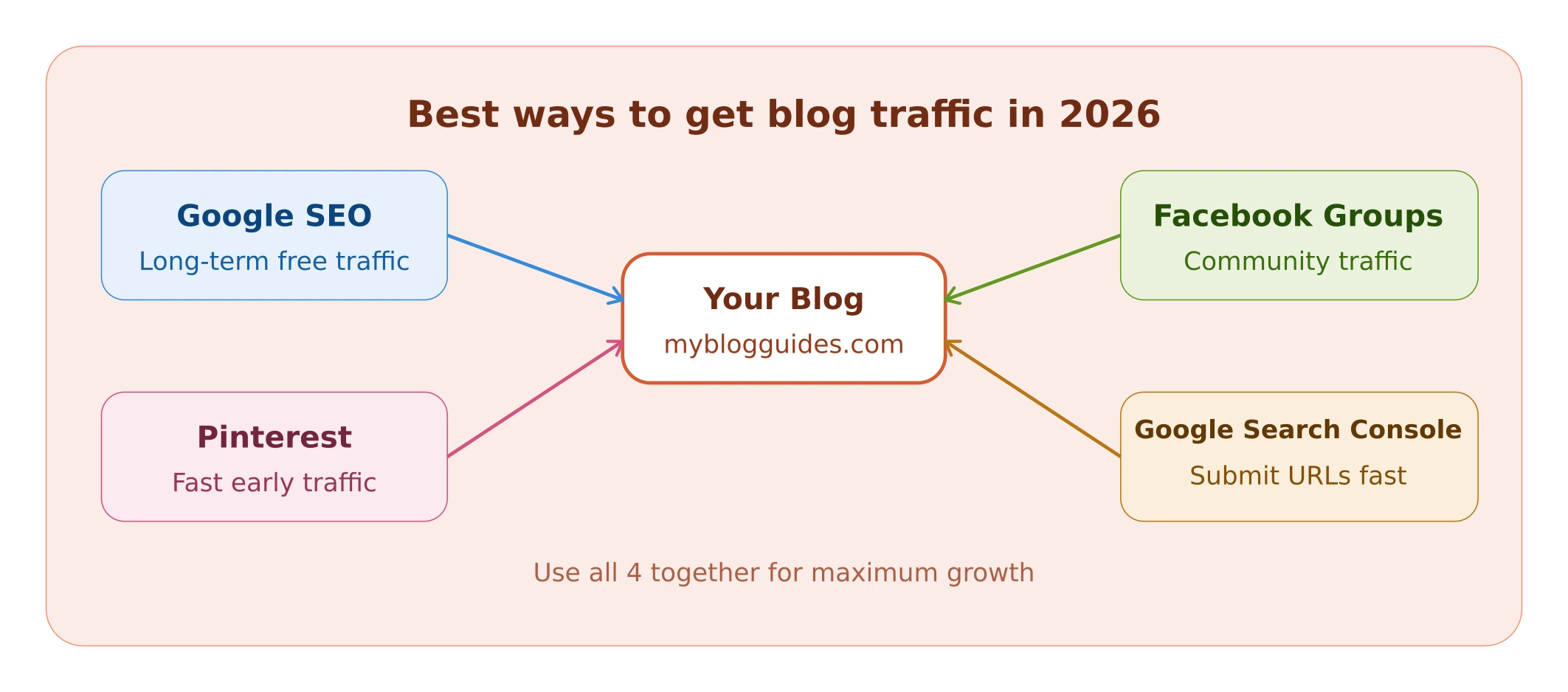
SEO – Your Long-Term Traffic Machine

SEO stands for search engine optimization. It basically means writing your posts in a way that Google understands and ranks them for the right search terms.

Use Rank Math SEO to check every post before you publish. Aim for a green score of 80 or above. Make sure your focus keyword appears in the title, first paragraph, a heading, and the meta description.

This takes time to pay off — usually 3 to 6 months — but the traffic you get from Google is free and keeps coming even when you are not working.

Pinterest – The Fastest Free Traffic Source

Pinterest is not just a social media platform. It is actually a search engine, and it sends huge amounts of traffic to blogs.

Create a free Pinterest business account, make a nice-looking pin for each blog post, and publish it. Use your blog post title and keywords in the pin description.

Many bloggers get more traffic from Pinterest than from Google, especially in the early months when their SEO has not kicked in yet.

Facebook Groups

Find 3 to 5 Facebook groups related to your niche. Join them, participate genuinely, answer questions, and occasionally share your articles when it is relevant and helpful.

Do not just drop links and disappear. Nobody likes that.

Google Search Console

This one is free and non-negotiable. Submit your blog to Google Search Console as soon as you publish your first post. After every new post, go in and submit the URL manually. It tells Google your new content exists and speeds up indexing.

Step 9: Start Making Money

Once you have some content published and traffic starting to come in, you can begin thinking about monetization.

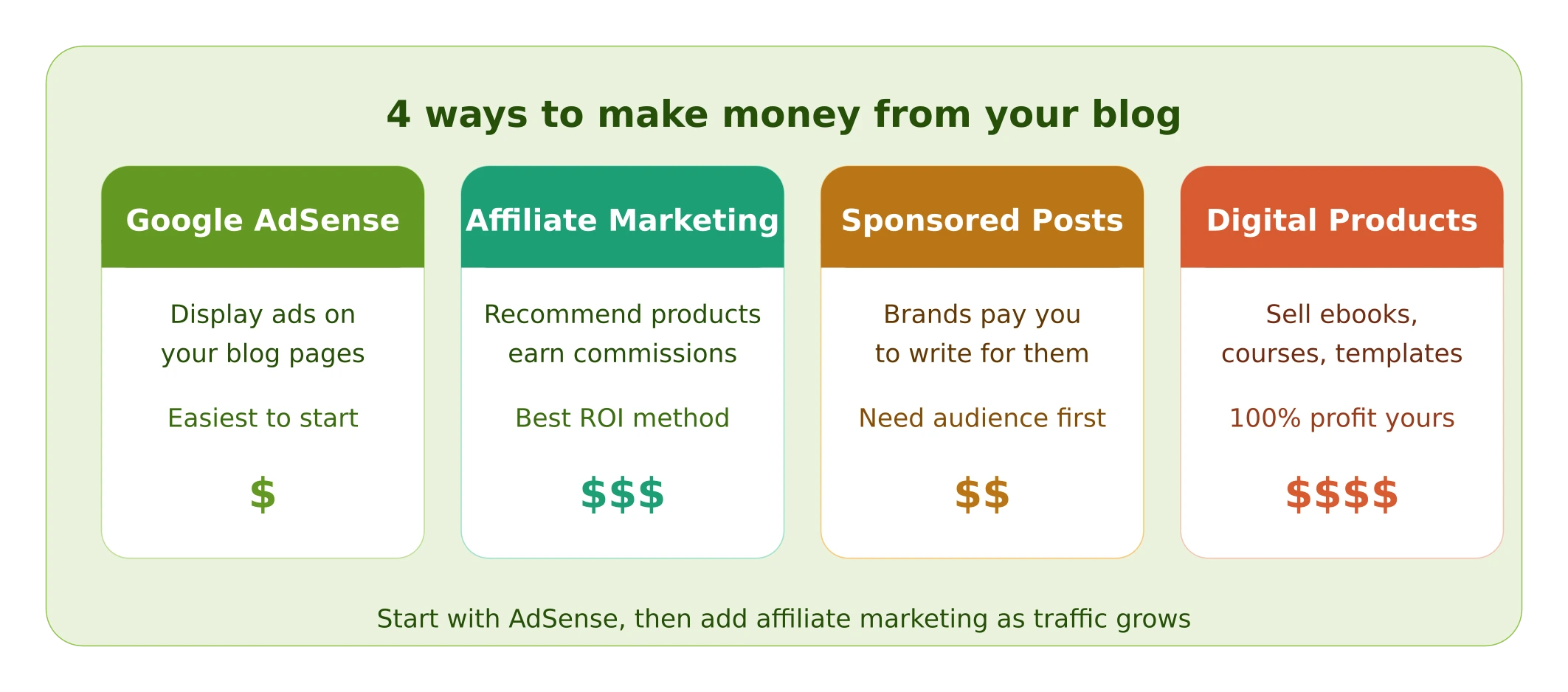
Here are the most common ways bloggers make money in 2026:

Google AdSense

You display Google ads on your blog and earn money when visitors see or click them. It is the simplest way to start earning, but the payouts are low in the beginning.

To apply, you generally need at least 20 to 30 published posts and some consistent traffic. Make sure your blog has an About page, Contact page, and Privacy Policy before you apply.

Affiliate Marketing

This is where you recommend products or services and earn a commission every time someone buys through your link.

For a blog about blogging and online tools, great affiliate programs include web hosting companies, SEO tools, email marketing platforms, and WordPress themes. Commissions in this space can range from $10 to well over $100 per sale.

Sponsored Posts

Once your blog has a decent audience, brands will sometimes reach out and pay you to write about their product. You can also proactively pitch brands you genuinely use and like.

Your Own Products

Selling your own ebooks, courses, or templates is the most profitable option because you keep everything you earn. Start thinking about this once you know exactly what problems your audience needs help with.

Frequently Asked Questions (FAQs)

You can get started for around $30 to $80 per year. This covers a domain name (about $10 to $15 per year) and basic web hosting (around $2 to $6 per month). WordPress itself is completely free.

Not at all. WordPress was built for regular people, not developers. If you can type and browse the internet, you have everything you need to run a blog.

Most bloggers start seeing their first income somewhere between 6 and 12 months in. It depends on your niche, how consistently you publish, and how well you promote your content. This is not a get-rich-quick thing — but it is very real and very achievable.

Try to have at least 20 solid posts before expecting consistent traffic from Google. In the meantime, use Pinterest and social media to drive early readers to your newer posts.

People ask this every single year and the answer is always the same: no, it is not too late. There will always be new people searching for information online. If you create better content than what is already out there, you will get readers.

Wrapping Up

Starting a blog is honestly one of the best things you can do for yourself in 2026. It is one of the few ways to build something online that you truly own — not a social media following that can disappear overnight, but a real asset that grows over time.

Here is everything we covered today:

  1. Pick a specific niche you are genuinely interested in
  2. Use WordPress — it is the right tool for the job
  3. Get affordable hosting and register your domain
  4. Install WordPress in a few clicks through your hosting panel
  5. Choose a fast, clean theme
  6. Install only the essential plugins
  7. Write your first post and hit publish — even if it is not perfect
  8. Promote through SEO, Pinterest, and Facebook groups
  9. Monetize once the traffic starts coming

The only thing left is for you to actually start.

Pick your niche today. Register your domain this week. Write your first post before the month is out.

You have got this.

Found this guide useful? Drop a comment below and let me know where you are in your blogging journey. I read every single one.

This Post Has 2 Comments

  1. zengdamo

    I love how you highlighted that blogging isn’t dead; it’s all about providing real value. It’s so reassuring to know that starting a blog in 2026 can be both accessible and rewarding. Thanks for the clear, no-jargon approach!

  2. gptimg2img

    This guide perfectly captures the hesitation I felt when thinking about starting a blog — the overwhelm of choices and fear of not knowing where to begin. It’s reassuring to read that blogging is still a viable path for building an audience and income, especially with the right approach. The reminder that you don’t need a big budget to start really resonated with me, and I appreciate the no-nonsense tone that makes it feel accessible.

Leave a Reply